TV art buying decisions
TV Frame Art: Choose the Crop Before You Buy
Compare the complete artwork with the exact display-shaped preview before choosing TV frame art. A file can have enough pixels and still lose the tree, signature or horizon detail you wanted when it is cropped to fill a wide screen.
Start with the part of the picture you love. Then decide whether you prefer a full-screen crop, a smaller complete image with surrounding space, or a different composition. Make that decision before buying a file simply because its description says “4K.”
This guide covers the image-selection and crop decision. Check your exact TV model’s instructions for compatible files and display options; this is not a universal upload or settings guide for every television.
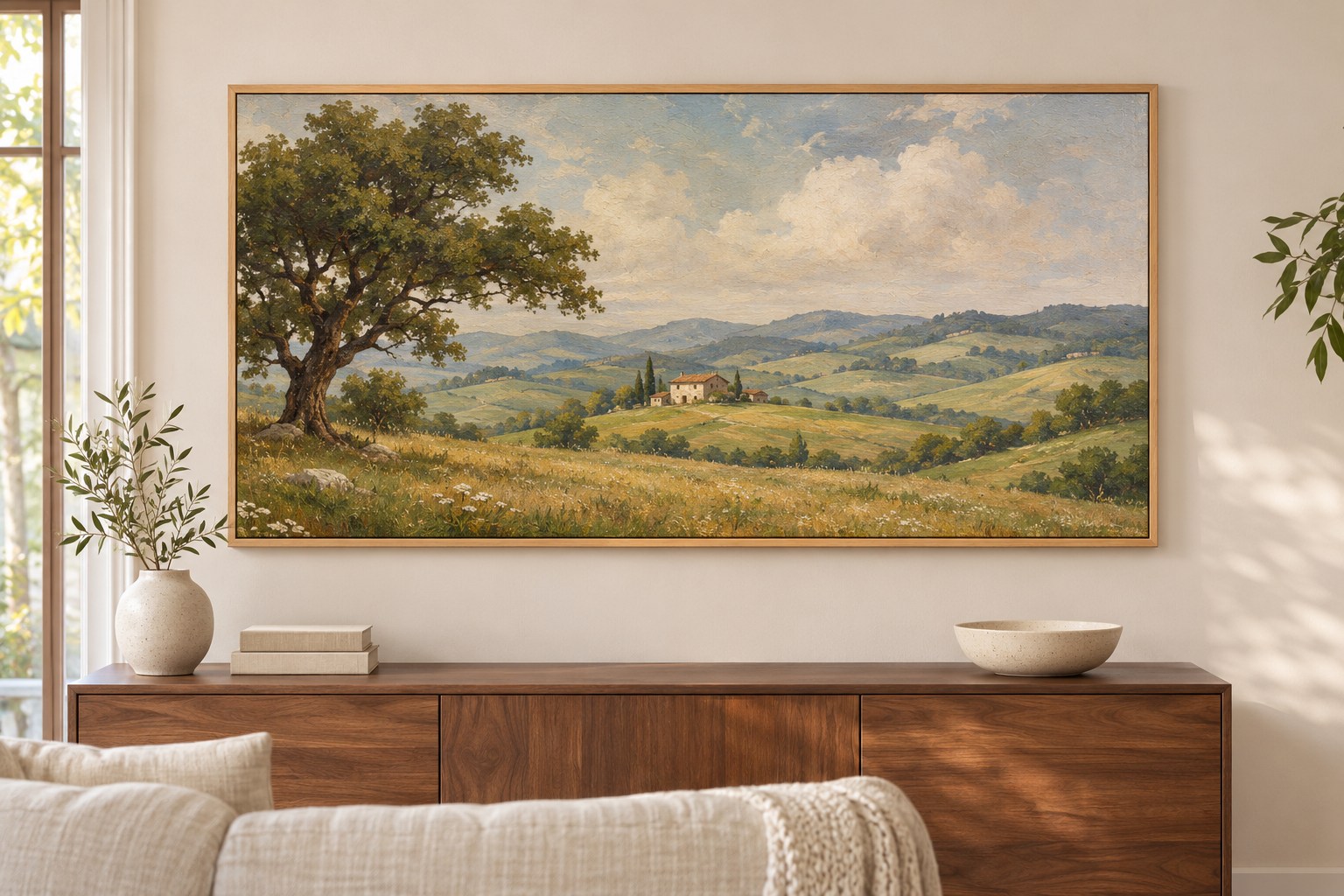
Separate three questions: shape, pixels and presentation
Shape is the relationship between width and height. A 16:9 file is wider in proportion to its height than a 4:3 or 3:2 file. Pixel dimensions describe how many image pixels you have. Presentation is how the picture appears within the display: cropped, fitted with surrounding space, or shown with a border or mat option where supported.
Those are connected decisions, but one cannot answer all the others. A high-resolution portrait does not become a wide landscape just by being a large file. Enlarging a small image also does not recreate the original detail it never contained.
Record the actual file width and height, not only a folder name or a room mockup. If the listing supplies several formats, identify the one intended for your display and compare its flat preview.
Check the exact display before choosing an output file
Do not assume every size or year of a frame-style TV has the same requirements. Use the manufacturer’s instructions for your model and region to confirm the recommended image resolution, supported file types and available border styles.
For example, Samsung Australia’s Art Mode guidance discusses 16:9 images and notes that supported borders may vary with image shape or resolution. The same page distinguishes resolution recommendations and warns that settings differ by model and location. Check your own manual rather than applying one number to every television sold under a family name.
If your display calls for a 3840 × 2160 image, those dimensions are 16:9: dividing both numbers by 240 gives 16 and 9. A 1920 × 1080 image has the same shape with fewer pixels. Whether either is suitable for your TV is a separate device-specific check.
Compare fill, fit and another image
Swipe or scroll sideways to compare the choices.
| Choice | What you preserve | What you give up or check |
|---|---|---|
| Crop to fill the target shape | A picture occupying the whole image area | Some content at edges when shapes differ |
| Fit the complete artwork within the target shape | The full composition and its proportions | Surrounding space; the picture occupies less of the display |
| Choose an already suitable wide composition | A full-screen presentation without forcing your first choice | Whether you enjoy this picture as much as the original favorite |
These describe layout choices, not buttons guaranteed to exist on every device. You may need a correctly prepared file or the seller’s display-specific version. Never stretch a picture sideways to make it fill the screen: that changes the subject’s proportions.
A mat can be a deliberate part of the composition rather than a problem to remove. Compare the whole artwork surrounded by a quiet border with the cropped version at the same overall display size. Judge the result from your seat as well as close up.
A worked crop: 4:3 artwork into a 16:9 image
Take a hypothetical artwork measuring 3200 × 2400 pixels. To make a 16:9 crop while retaining its full width, the crop height is 3200 × 9 ÷ 16 = 1800 pixels. You remove 600 pixels of height: one quarter of the original height. A centered crop removes 300 pixels from the top and 300 from the bottom.
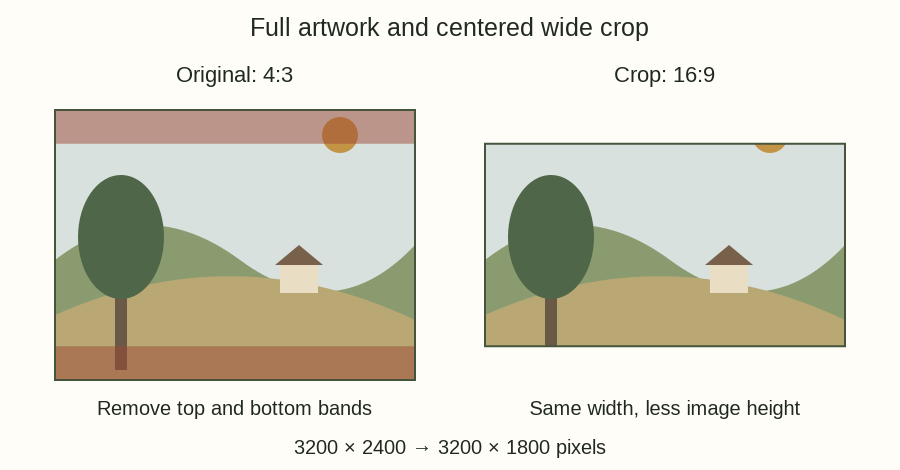
That may be harmless sky and foreground, or it may include a flower, a signature or the part of the scene that made it interesting. A different crop position can keep more of one edge, but it must give up more of the opposite edge. It cannot recover all of a taller composition inside the same full-width wide crop.
If you instead fit the complete 4:3 artwork into a hypothetical 3840 × 2160 canvas without distortion, its proportional size is 2880 × 2160 pixels. That leaves 960 pixels of total width around it, or 480 at each side when centered. This is layout arithmetic, not a guarantee about a TV’s built-in mat options or the source image’s visual quality.
Mark the details that must survive
For each candidate, identify up to three non-negotiable details: the full tree canopy, the shoreline, a face, a botanical label or a signed border. Compare them in both the complete image and the target-shaped version.
- Check every edge. A balanced center does not tell you what disappeared from the top or bottom.
- Check the horizon and focal point. Moving the crop can change the feeling of space around them.
- Check small text and fine lines at viewing distance. Being present in the file does not mean you can read them from the sofa.
- Check the entire display preview. A seller’s decorative bezel and room setting can distract from the actual image boundary.
Use a permitted preview, a purchased file under its usage terms, or your own work for comparisons. Do not remove a watermark or reconstruct an image from listing screenshots. If editing permissions are unclear, ask the seller for a suitable version.
Ask the seller for the view that resolves the uncertainty
A useful question is: “Could you show the exact flat image supplied for my target ratio, including all borders, and confirm its pixel dimensions? I want to keep the full tree and the lower inscription visible.”
That tells the seller what matters and separates the actual product from a room mockup. If several sizes are supplied, ask which preview corresponds to the particular file you will use. Do not assume all supplied ratios contain the same crop.
After obtaining a suitable file, compare it on your compatible display using the manufacturer’s instructions. Make one change at a time when comparing crops so a brightness, border or color change does not distract you from the composition decision. Record the chosen crop and file so you can compare future artwork consistently.
Your TV art file-check worksheet
- Display
- Exact make, model and year: ______ Manual or official support page: ______
- Required file
- Target shape and pixel dimensions: ______ File type confirmed: ______
- Candidate artwork
- Supplied file width × height: ______ Exact flat preview checked: ______
- Details to preserve
- 1: ______ 2: ______ 3: ______
- Presentation comparison
- Crop / full image with surrounding space / another artwork: ______
- Final check
- All edges, focal point and viewing distance checked: ______ Seller question resolved: ______
Choose the picture whose finished presentation you enjoy. A perfectly filled screen is useful only if it still contains the artwork you wanted to see.